

Can you play Roblox on PS4? This question has been on the minds of many gamers, and we’re here to provide the ultimate guide to help tech noobs get the most out of their gaming experience.
In this comprehensive article, we’ll explore if it’s possible to play Roblox on PlayStation 4 and dive into the available workarounds and alternative solutions. So, buckle up and let’s get started.
What is Roblox?

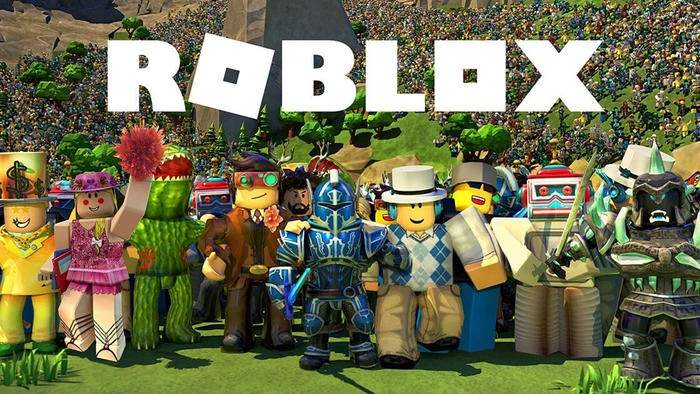
Roblox is a popular online gaming platform that allows users to create, share, and play games created by other users. With its easy-to-use creation tools, Roblox has become a favorite among gamers who love exploring new worlds, customizing their avatars, and enjoying a vast selection of user-generated content.
Can You Play Roblox on PS4?
As of now, there is no official Roblox app for the PlayStation 4. However, there have been workarounds in the past that allowed users to access and play Roblox on their PS4. While these methods may not be officially supported, we’ll explore them in the next section.
How to Access Roblox on PS4 via the Web Browser
The following steps detail how to access Roblox through your PlayStation 4’s web browser. Keep in mind that this method may not provide the best experience, as it’s not officially supported by Roblox.
Step 1: Turn on your PlayStation 4.
Step 2: Navigate to the web browser.

Step 3: Type “https://www.roblox.com” in the address bar.
Step 4: Sign in to your Roblox account, or create a new account if you don’t have one.

Step 5: Browse and select a game to play.

Step 6: Enjoy playing Roblox on your PlayStation 4!
Please note that this method may not work consistently, and the experience might not be as smooth as playing Roblox on a supported device.
Roblox and PlayStation 5 Compatibility
As of the time of writing, there is no official Roblox app for PlayStation 5 either. However, with the growing popularity of Roblox, it’s possible that an official app may become available for the PlayStation 5 in the future.
Alternative Devices to Play Roblox On
If you’re unable to play Roblox on your PlayStation 4, there are several other devices that support Roblox, including:
- PC and Mac
- Xbox One
- Mobile devices (iOS, Android, and Amazon devices)
- Tablets (iOS, Android, and Amazon devices)
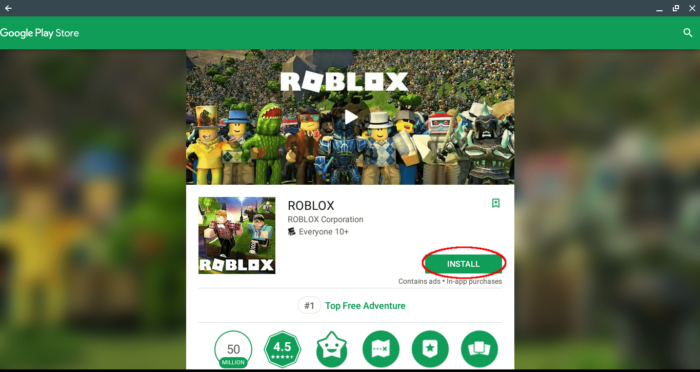
These devices provide a seamless Roblox experience, and you can easily switch between them with your Roblox account.
When Will Roblox Be Available on PlayStation?
There is no official announcement regarding the release of a Roblox app for PlayStation consoles. However, given the platform’s growing popularity, it’s possible that Roblox might consider developing an app for PlayStation in the future.
Until then, PlayStation users can try accessing Roblox through the web browser, as previously mentioned, or use alternative devices to play Roblox.
Final Thoughts
While the answer to “Can you play Roblox on PS4?” might not be a straightforward yes, there are workarounds and alternative devices that can provide a satisfying Roblox experience.
Whether you’re trying to access Roblox through your PS4 web browser or exploring the platform on a supported device, remember to have fun and enjoy the vast world of user-generated content that Roblox offers.
We hope this comprehensive guide has helped answer your questions and provided valuable information about playing Roblox on various devices. Happy gaming!
FAQs
Can you play Roblox on PS4 using a workaround?
Yes, you can try accessing Roblox on your PS4 via the web browser. However, this method is not officially supported by Roblox and may not provide the best gaming experience.
Can you play Roblox on PS5?
Currently, there is no official Roblox app for the PlayStation 5. However, you can use the same workaround as for the PS4 by accessing Roblox through the web browser. Keep in mind that this method is not officially supported and may not provide the best experience.
What devices can you play Roblox on?
You can play Roblox on a variety of devices, including PC, Mac, Xbox One, mobile devices (iOS, Android, and Amazon devices), and tablets (iOS, Android, and Amazon devices).
Will Roblox be released on PlayStation 4 and PlayStation 5?
As of now, there is no official announcement regarding the release of a Roblox app for PlayStation consoles. However, it’s possible that Roblox might consider developing an app for PlayStation in the future.
Is there any monetary incentive for playing Roblox?
While playing Roblox itself is free, the platform uses its own virtual currency called Robux. Players can purchase Robux with real money and use it to buy in-game items, accessories, and avatar upgrades.
Some developers can also earn real money through the platform’s Developer Exchange program by creating and monetizing their games.
