

Are you struggling to change your PSN email? Do you find yourself lost and confused when trying to follow the complicated instructions provided by other websites?
Look no further, In this article, we will provide you with a comprehensive step-by-step guide on how to change your PSN email easily in 2023.
Why Change Your PSN Email?
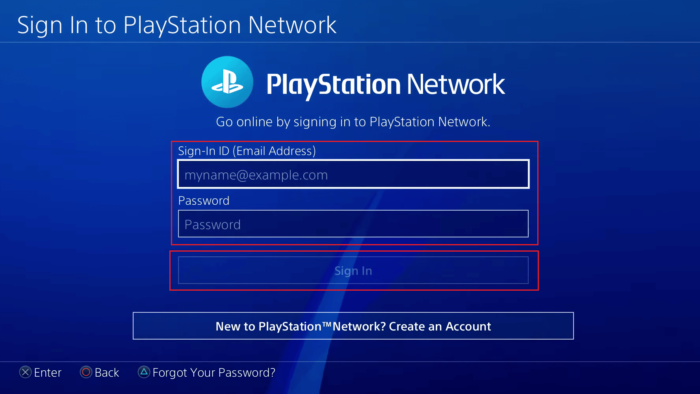
Before we dive into the solutions, let’s briefly discuss why you might want to change your PSN email. The most common reason is that you may have created your PSN account with an old or outdated email address.
Alternatively, you may want to change your email for security reasons or to consolidate multiple accounts under a single email.
How to Change Your PSN Email?
Now let’s get into the solutions. There are two options to change your PSN email, depending on whether you can log in to your PSN account or not.
Option 1: Changing Your Email on the Sony Entertainment Network
According to a post on Reddit, if you can log in to your PSN account, you can go to the Sony Entertainment Network and log in there. Then click on account details and hit edit to change the email used to sign in.
To change your PSN email, follow these steps:
- Go to the Sony Entertainment Network website.
- Log in to your PSN account.
- Click on Account Details.
- Click on Edit next to the Email Address field.
- Enter your new email address and click Save.
Option 2: Contacting Sony Customer Support
If you cannot log in to your PSN account, you’ll have to call Sony Customer Support, and they can change it to a different email.
To change your PSN email by contacting Sony Customer Support, follow these steps:
- Call Sony Customer Support at 1-800-345-7669.
- Select the option for “Account Management.”
- Tell the representative that you need to change your email address.
- Follow the representative’s instructions to complete the process.
Conclusion
Changing your PSN email can seem like a daunting task, but with the step-by-step guide provided in this article, you should be able to do it with ease.
Remember to log in to your PSN account and change your email through the Sony Entertainment Network website, or if you cannot log in, you can contact Sony Customer Support to assist you.
No matter which option you choose, always make sure to remember your new email address and keep it secure to avoid any future complications.
We hope this article has been helpful in guiding you through the process of changing your PSN email. If you have any further questions or concerns, don’t hesitate to reach out to Sony Customer Support for assistance.
FAQs
How long does it take for the email change to take effect?
It may take up to 24 hours for the email change to take effect.
Will changing my PSN email affect my saved data or games?
No, changing your email should not affect your saved data or games.
Can I change my PSN email multiple times?
Yes, you can change your PSN email multiple times.
Will changing my email affect my PSN username?
No, changing your email should not affect your PSN username.
